 WordRacer Hub
WordRacer Hub
WordRacer Hub
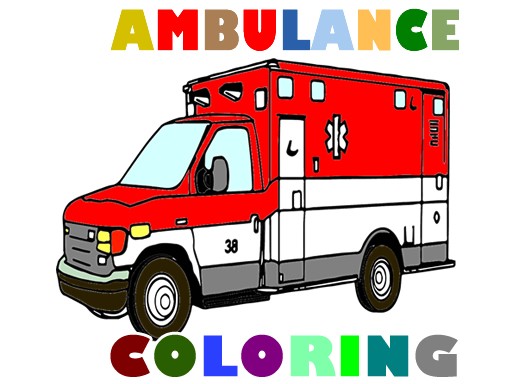
Emergency Vehicle Coloring Puzzle offers a relaxing and creative experience for children. With 16 unique vehicle images, adjustable pencil sizes, and an eraser tool, it is easy to use and mistake-friendly. The lack of time limits and ads makes it a stress-free choice for families. A great way to encourage artistic expression in a safe environment.
Emergency Vehicle Coloring Puzzle is an online coloring game designed for children and families. The game offers 16 different emergency vehicle images that players can fill with color using a simple mouse interface. Each picture shows a different vehicle, giving kids a chance to explore their creativity while learning about emergency vehicles. The game is completely safe and free from any inappropriate content, making it suitable for all ages. Players can choose their favorite image and start coloring immediately. The controls are easy to understand, so even young children can play without help. This game provides a calm and enjoyable way to spend time, whether at home or on the go.
To start playing, select one of the 16 emergency vehicle images from the main menu. Use your mouse to pick a color from the palette on the side of the screen. Click on the areas of the image you want to color. You can adjust the pencil size to make thin lines for details or thick lines for larger sections. If you make a mistake, use the eraser tool to remove the unwanted color. There is no time limit, so you can color each picture slowly and carefully. The game is easy to navigate and perfect for beginners who are new to digital coloring.
16 unique emergency vehicle images to color. Easy mouse controls that work on any computer. Adjustable pencil size for fine details or bold strokes. Eraser tool to fix mistakes quickly. Family-friendly content with no ads or inappropriate material.
Take your time with each image, as there is no time limit. Experiment with different color combinations to make each vehicle unique. Use the adjustable pencil size to add small details or fill large areas efficiently. If you make a mistake, the eraser tool lets you correct it easily. Practice regularly to improve your color coordination and fine motor skills.
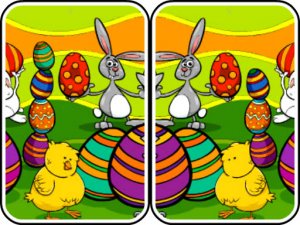
A delightful Easter-themed spot-the-difference game that is fun and relaxing for all ages.

Winter Gem Match Puzzle offers relaxing match 3 gameplay with a beautiful winter theme. Perfect for all ages.

A calm and engaging memory puzzle with beautiful fantasy art. Perfect for short breaks.
A calm, ad-free puzzle game with lovely camping scenes. Perfect for young children to enjoy independently.

Beautiful hand-drawn graphics and relaxing puzzles make this a perfect family game for all ages.

A refreshing shape-matching puzzle with smooth gameplay and helpful power-ups.

A calm, family-friendly jigsaw puzzle featuring beautiful Honda CR-V images with adjustable difficulty.
A delightful holiday memory game with festive graphics and progressive difficulty for all ages.