
What players say
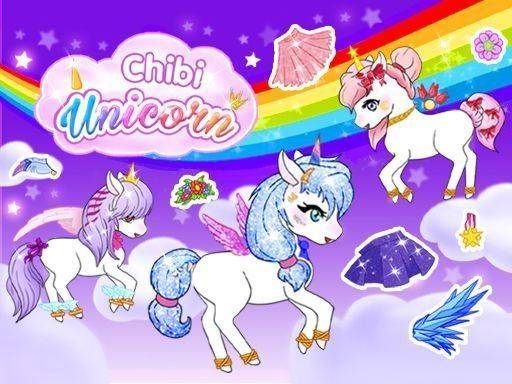
Fantasy Pony Styling Studio succeeds by removing all pressure from the creative process. The color palette tool gives precise control over every outfit and accessory, while the animated facial features add life to each pony. The pose and background selection rounds out each design nicely. The automatic collection system means no design is ever lost, and you can revisit any pony to tweak colors or try new accessories. It is a calm, satisfying experience for anyone who enjoys character design without deadlines or scores.
About this game
Getting Started with Your Design
When you open Fantasy Pony Styling Studio, you begin with a blank canvas. Select a base coat color for your pony, then pick a horn style. The interface is straightforward, with clear categories for each part of the pony. You can browse through options for eyes, eyebrows, and mouth shapes. Each choice changes the pony's expression, letting you create a character that feels lively and unique. The process is self-paced, with no timers or scores to worry about.
Customization Tools and Options
The game provides a color palette tool that works on most clothing and accessory items. You can adjust the hue of outfits, shoes, and even wings to match your vision. Beyond clothing, there are decorative items like tiaras and necklaces. The library includes animated facial features, so your pony can blink or smile. This attention to detail makes each creation feel more personal. You can mix and match freely, trying different combinations until you find something you like.
Finishing Touches and Presentation
Once your pony is dressed and styled, you can choose a pose from several options. Each pose changes how the pony stands or sits, adding personality to the final image. Background options let you place your pony in different settings, such as a meadow or a starry night. After selecting a background, you can take a screenshot to save the image to your device. Alternatively, the game automatically saves your pony to an in-game collection for later viewing or editing.
Building a Personal Collection
Every finished pony is stored in your personal collection. This area acts as a gallery where you can revisit all your designs. You can open any saved pony to make changes, such as swapping an accessory or trying a new color. Over time, your collection grows, reflecting your evolving style. There is no limit to how many ponies you can create, so you can experiment as much as you want. The collection system encourages revisiting old ideas and refining them.
Creative Exploration Without Pressure
The entire experience is designed to be relaxing. There are no goals to meet or levels to complete. You can spend as much or as little time on each pony as you like. The focus is on artistic exploration and self-expression. Players of all ages can enjoy the process of mixing colors, trying different accessories, and seeing what looks best together. The simple, intuitive controls make it easy for anyone to start creating immediately, regardless of prior experience with similar games.

Player comments
Sign in to comment
You must be logged in before posting a review or rating.
No account? Create one
No comments yet. Be the first to comment!