
What players say
Creative Canvas for Young Artists succeeds by removing all barriers between a child and their imagination. The interface is refreshingly simple: pick a color, choose a line size, and draw. There are no timers, scores, or complex menus to navigate. The print feature adds real-world value, turning screen time into something tangible that kids can share. Parents will appreciate the ad-free, no-download environment that requires no setup. While it lacks advanced features like stamps or stickers, its straightforward design is precisely what makes it effective for young children. It is a reliable tool for quiet afternoons or classroom art centers.
About this game
Simple Start, Endless Possibilities
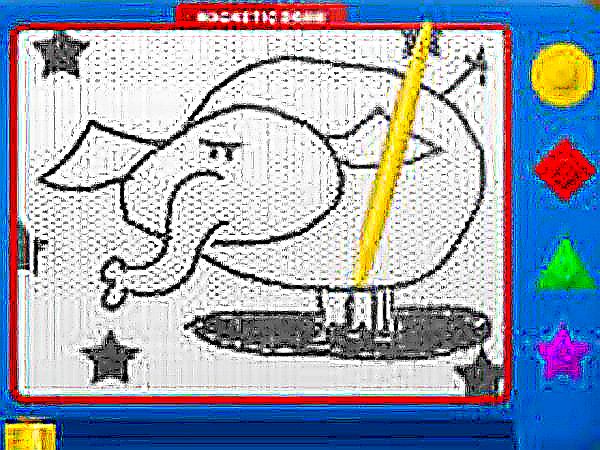
Creative Canvas for Young Artists opens with a straightforward interface that puts the focus on creation. Children select from a palette of vivid colors and choose a line thickness that suits their vision. The virtual board responds to mouse clicks or touch gestures, making it easy for small hands to draw shapes, letters, or imaginative scenes. There are no complex menus or timers, so kids can work at their own pace. This design encourages repeated use without frustration, supporting both quick sketches and more detailed projects.
Built for Independent Exploration
The tool is structured so that young users can navigate it without constant adult guidance. Buttons are clearly labeled with icons, and the drawing area takes up most of the screen. Color choices and line adjustments are visible at all times, allowing children to experiment freely. Because the activity runs entirely in a web browser, there is no software to install or updates to manage. This reliability means that even in group settings like classrooms or playdates, the experience remains consistent and accessible.
From Screen to Paper
One of the standout features is the print function, which transforms digital artwork into physical keepsakes. After finishing a drawing, a simple command sends the image to a connected printer. This allows children to share their work with family, decorate their room, or build a portfolio of their artistic progress. The print option also makes the activity useful for teachers who want to display student work or send home completed projects. It bridges the gap between screen time and tangible achievement.
Safe and Focused Environment
Creative Canvas for Young Artists is designed with child safety in mind. The interface contains no advertisements, external links, or chat features. There are no in-app purchases or prompts to share personal information. This controlled setting allows parents and educators to let children use the tool without constant supervision. The absence of distracting elements helps maintain concentration on the creative task, which is especially valuable in educational settings where focus is important.
Supporting Skill Development
Regular use of this drawing tool can help young children practice hand-eye coordination and fine motor control. Choosing colors and adjusting line widths introduces basic decision-making and cause-and-effect reasoning. The open-ended nature of the activity promotes creative thinking, as there are no right or wrong outcomes. Children learn to express ideas visually, which can complement other learning areas such as storytelling or early writing. The activity adapts to different skill levels, making it suitable for a wide age range.
Practical Tips for Best Results
To get the most from Creative Canvas for Young Artists, encourage children to start with simple lines and gradually add detail. Trying different color combinations can teach basic color theory in a hands-on way. Saving and printing selected works gives a sense of accomplishment and provides material for discussion. For classroom use, setting aside regular time for drawing helps build routine and anticipation. The tool works best on a tablet or computer with a touchscreen, but a mouse also provides a smooth experience.

Player comments
Sign in to comment
You must be logged in before posting a review or rating.
No account? Create one
No comments yet. Be the first to comment!